AI Chat Assistant - Gain AI
- 4.2
- Rating
- 500.00K
- Installs
- Free
- Price

 Analysis by App-foxy
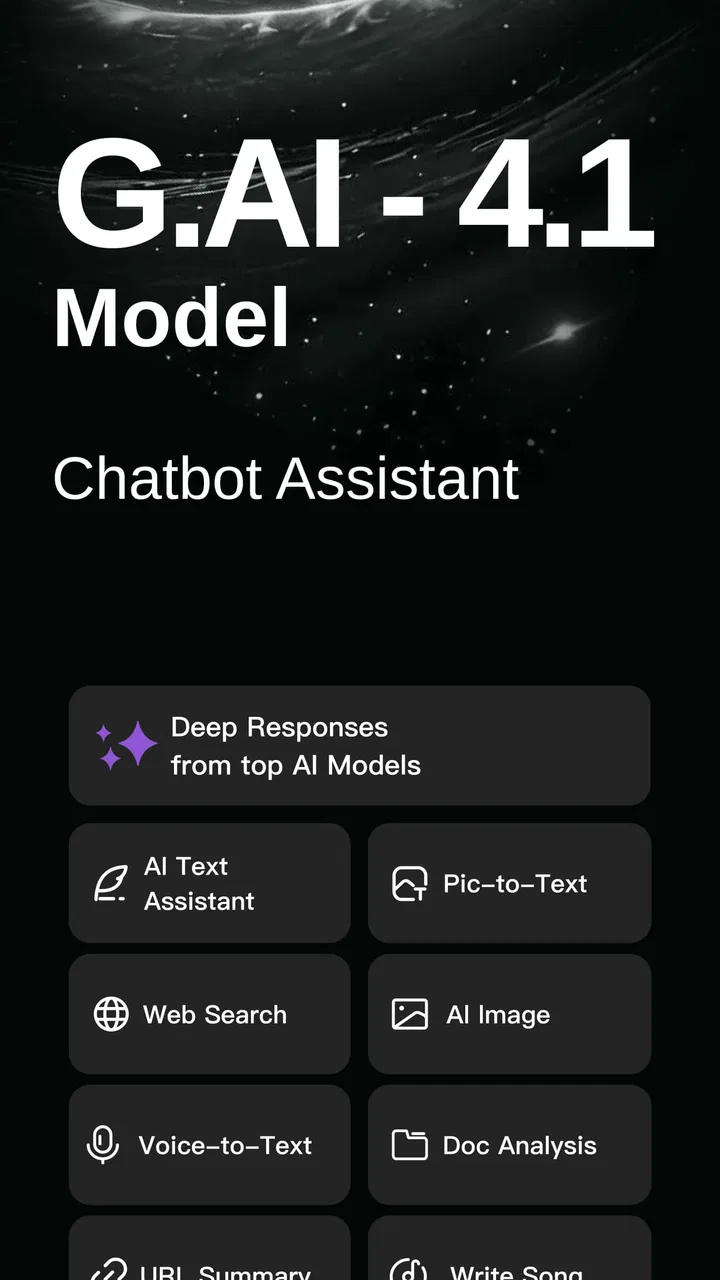
Switching between AI apps is a surprisingly common productivity problem. I may want one assistant to summarize a document, another to brainstorm, and a third to rewrite a message, yet each change usually means opening a different app, rebuilding the context, and remembering which service handled which task best. G.AI - AI Chat & AI Chatbot is designed around removing that repeated interruption. It brings access to several well-known AI services into one productivity app, so the main benefit is not simply having more chat windows; it is reducing the time spent moving between them.
After using it, I see the appeal most clearly for people who treat AI as a practical workbench rather than a single conversational companion. The app is free to install, comes from Chat AI Labs, and is aimed at users aged Teen and above. Its store summary presents a collection that includes Grok, Grok-4, ChatGPT, Gemini, Deepseek, Claude and more. That range makes it useful when I want to compare approaches instead of accepting the first answer automatically.
The important distinction is that this is not necessarily a replacement for every official AI application. It is more like a central doorway. That can save time, but it also introduces a layer between the user and the individual services. Whether that trade-off works depends on how often you switch assistants, how sensitive your conversations are, and whether you need the deepest features of one particular provider.
You May Also Like

 Blood Strike: 2.5 Anniversary
Blood Strike’s Loadouts Turn Every Drop Into a Tactical Gamble
A close look at Blood Strike’s custom loadouts: how fast access to signature weapons reshapes its battle royale rhythm, rewards preparation, and narrows the gap between fights.

 Pandora - Music & Podcasts
Pandora’s Music Is Easy to Start, but Harder to Recover
Pandora’s strength is its low-effort path from a seed to a station. Its weak spot is how much confidence it asks you to place in connection, setup, and quiet recovery.

 8 Ball Pool
 Is Built on Rivalries, Rematches, and Routine
A close look at the rivalries, rematches, shared routines, and unanswered safety questions that turn a quick pool match into a persistent mobile community.

 Samsung Music
’s Quiet Strength Is Playing What You Already Own
Its reach comes less from spectacle than from dependable access to a personal library. That simplicity is both the app’s strongest retention engine and its ceiling.

 AccuWeather: Weather Radar
AccuWeather Review: A Quick, Clear Forecast for Everyday Decisions
For everyday plans, the best forecast is the one you can understand quickly. AccuWeather makes rain timing, radar, and local conditions easy to act on, with a few trade-offs.

 Hill Climb Racing
Why Hill Climb Racing Still Turns Crashes Into One More Run
A tiny car, a bumpy hill and one more upgrade: Hill Climb Racing keeps resurfacing because its simple chaos makes every near-miss feel personal.
More From Our News Desk
View All News


One place for different AI tasks
I find the central-workspace idea most useful when I treat each assistant as a separate option, not as a guarantee of interchangeable results. That distinction also shapes how I think about trust: convenience can simplify my routine, but it does not tell me how a service handles a conversation. Before sharing anything sensitive, I would look closely at the choices and explanations available in the app, which is the next part worth considering.
The first setup is about choosing a working habit
When I first approach an app like this, I do not begin by asking a complicated question. I start with a small task that I already know how to judge, such as turning a rough note into a clearer message or producing a short list of ideas. That makes it easier to understand the conversation flow and see whether moving between available assistants feels natural.
The most useful early habit is to separate tasks by purpose. I might use one model for a quick explanation, another for alternative wording, and another for a second opinion. Instead of sending the same request everywhere without thought, I would keep the prompt consistent when comparing answers. This turns the app into a lightweight comparison tool rather than a confusing collection of unrelated chats.
That workflow is especially helpful when an answer matters enough to check but not enough to justify a long research session. For example, I can ask for a plain-language explanation of a technical term, compare the clarity of the responses, and then use the strongest explanation as the basis for a follow-up question. The time saving comes from avoiding repeated launches and repeated navigation, not from assuming that every response is equally reliable.
G.AI runs on Android from version 8.0 onward, which keeps it accessible to people using older compatible devices. The current version is 2.7.0, and the app has passed the early-adoption stage with more than one hundred thousand installs. Its average score sits at 4.0 from around 6.6 thousand ratings, while the review count is a little over four hundred. I read those figures as a sign of useful interest with room for mixed experiences, rather than as proof that every workflow will feel polished.
A realistic morning workflow
Imagine that I am preparing for a busy workday. I have a long meeting note, a message that sounds too blunt, and a few ideas for a presentation. Instead of opening three separate tools, I can begin in one place, ask for a concise summary, switch to a different assistant for a friendlier rewrite, and then request several presentation angles from another option.
The practical advantage is continuity of attention. I am less likely to lose the original wording while jumping between apps, and I do not need to keep several interfaces in my head at once. I would still review every output, especially for names, figures, commitments, or anything that could create a professional problem. The app can shorten the path to a draft; it does not remove the need for judgement.
A useful trick is to give each request a clear job. “Summarize this” is often less helpful than “give me five bullet points, preserve the action items, and mark anything uncertain.” When comparing assistants, I would also avoid changing the instructions halfway through. Otherwise, I may mistake a better prompt for a better model. This small discipline makes the multi-assistant design much more valuable.
Where the app saves the most friction
The recurring annoyance with separate AI apps is not always the typing. It is the surrounding work: finding the right app, waiting for the correct screen, copying a prompt, and reconstructing the situation. A central app can make quick experiments feel less disruptive. For short questions, rewriting, brainstorming, and explanations, that reduction in setup is meaningful.
It can also help when I am unsure which assistant is best suited to a request. Rather than committing immediately, I can treat the available choices as different tools on the same desk. A factual question can receive a second pass, a creative idea can be challenged from another angle, and a difficult explanation can be rewritten until it becomes understandable.
The less obvious benefit is learning which style of response works for me. Over several sessions, I may notice that one option gives concise outlines while another produces more conversational drafts. That knowledge helps me choose faster next time. The app therefore has value even when I do not use every listed assistant in every session.
Useful scenarios beyond casual questions
For students, I would use the app as a study companion with strict boundaries. I could ask for a concept to be explained at two difficulty levels, request practice questions, and then ask for hints rather than immediate solutions. Comparing explanations can reveal whether I understand the subject or have simply memorized one assistant’s wording. I would not use generated answers as a substitute for assigned work or source checking.
For writing, the strongest workflow is iterative. I might begin with an unpolished paragraph, ask for its main argument, request a version with a calmer tone, and then ask another assistant to identify missing context. This is more useful than asking for a complete article in one step because I remain involved in the decisions. It also makes errors easier to spot.
For everyday planning, I can ask for a packing checklist, a meal-preparation sequence, or a set of questions to ask before making a purchase. These are low-risk tasks where speed matters. I would still check practical details such as opening times, travel conditions, product specifications, and health guidance elsewhere, because a polished answer can still be wrong.
For developers and technically minded users, the comparison angle may be more valuable than the convenience angle. A code explanation from one assistant can be challenged by another, while a proposed solution can be requested in a simpler form. The trade-off is that a central chat interface may not offer the specialized tools, project context, or deep integration available in a dedicated coding product. I would use G.AI for quick reasoning and cross-checking, not automatically as my only development environment.
How it compares with using one official assistant
A dedicated official app is usually the better choice when I am deeply invested in one provider’s ecosystem. If I need its particular history, specialized controls, account features, or a consistent long-term workspace, opening that service directly may create fewer compromises. A single-provider setup can also feel easier to understand because there is only one model family and one set of expectations.
G.AI is more attractive when variety is the priority. It reduces the mental cost of maintaining several separate apps and encourages comparison. That is valuable for brainstorming, rewriting, learning, and quick second opinions. The downside is that the unified experience may not feel as complete as the official home of each individual assistant. In other words, convenience improves, but depth may vary by task.
Compared with a traditional productivity app, this tool is less about storing structured projects and more about generating or transforming information through conversation. I would not replace a calendar, task manager, notes system, or document editor with it. Instead, I would place it at the beginning of a workflow: clarify an idea, create a draft, organize loose information, and then move the result into the proper tool.
Costs, access, and expectations
The app is free to download, but it includes in-app purchases ranging from $6.99 to $99.99 per item. That makes it important to understand what I am comfortable using before committing to any paid option. A free entry point is helpful for testing the interface and deciding whether the centralization actually saves me time.
I would not judge the app solely by the number of assistants visible in its description. The real question is how often I will use more than one. If I normally rely on a single chatbot for occasional questions, the extra choices may add clutter rather than value. If I regularly compare answers or move between creative, explanatory, and analytical tasks, the broader selection becomes much more practical.
The Teen content rating also matters in shared-device situations. I would treat the app as a general-purpose AI utility and guide younger users toward responsible use, especially when they are asking about schoolwork, personal information, or emotionally sensitive subjects. A central place for several assistants can make experimentation easy, which is useful, but it also makes careful prompting and checking more important.
Limitations I would keep in mind
The first limitation is reliability. A single interface can make different AI systems feel like interchangeable buttons, but they are not interchangeable in how they reason, phrase answers, or handle uncertainty. I would never assume that a response is correct simply because it came from a recognizable assistant. For important information, I would compare the answer with dependable sources.
The second is context management. Switching between assistants is useful, but it can also encourage fragmented conversations. A detail shared in one chat may not automatically carry into another in the way I expect. My solution is to keep a short, clean working brief that I can reuse: the goal, relevant facts, desired format, and restrictions. That takes a few seconds and prevents a lot of confusion.
The third is privacy awareness. I would avoid placing passwords, private identification details, confidential business material, medical records, or sensitive conversations into a multi-service AI tool unless I fully understand the handling involved. Convenience is not a reason to surrender information casually. For private or regulated work, a dedicated solution with clearly understood controls may be the wiser choice.
There is also a risk of choice overload. Having several options sounds efficient, but constantly deciding which one to use can become another form of friction. I would create a simple personal rule: choose one assistant for a first draft, switch only when I need a different perspective, and stop comparing once the answer is good enough. Without that limit, the app can turn a five-minute task into endless model shopping.
Who should use it and who should skip it
I recommend G.AI to people who already use AI for several different jobs and are tired of jumping among separate apps. It is particularly well suited to students who want contrasting explanations, writers who need fast revisions, and curious users who enjoy testing different response styles. The strongest audience is someone who values time saved through one central AI workspace more than a perfectly specialized interface.
I would be less enthusiastic for someone who needs a single, deeply integrated assistant for long-running projects. If your work depends on one provider’s advanced ecosystem, official app, or specialized controls, going directly to that service may be more dependable. I would also skip this app for high-stakes decisions unless it is only being used to organize questions before consulting an authoritative source.
My final impression is positive but measured. Chat AI Labs has built a convenient productivity app around a real annoyance: the constant switching required when different AI assistants suit different jobs. The free starting point makes it easy to test, and the broad selection gives it a clear purpose beyond being another chatbot wrapper. At the same time, the value depends on disciplined use. I save the most time when I compare intentionally, keep prompts clear, and treat every answer as a draft rather than a final authority.
For me, that balance makes G.AI - AI Chat & AI Chatbot worth trying if your daily routine already includes multiple AI services. It is not the best answer for every user, and it does not eliminate the need for official tools or careful fact-checking. But when the recurring problem is scattered AI access, this app offers a practical way to bring those experiments into one more manageable workflow.
FAQs for AI Chat Assistant - Gain AI
01What platforms is G.AI - AI Chat & AI Chatbot available on?
G.AI - AI Chat & AI Chatbot is available for both Android and iOS devices. You can download it from the Google Play Store for Android or the Apple App Store for iOS. Ensure that your device meets the minimum OS requirements to ensure smooth functionality.
02Does G.AI - AI Chat & AI Chatbot require an internet connection?
Yes, G.AI - AI Chat & AI Chatbot requires an active internet connection to function properly. This is because the app relies on cloud-based AI technology to provide real-time responses and updates. A stable internet connection ensures the best performance and user experience.
03Is G.AI - AI Chat & AI Chatbot free to use?
G.AI - AI Chat & AI Chatbot offers a free version with basic features. However, there may be premium features or subscriptions available for purchase within the app. These premium options often provide advanced capabilities and enhanced user experiences, so check the app store for detailed pricing.
04What kind of data does G.AI - AI Chat & AI Chatbot collect?
G.AI - AI Chat & AI Chatbot collects data to improve user interaction and service quality. This may include chat logs, user preferences, and device information. The app adheres to privacy policies to protect user data, so it's advisable to review the app’s privacy policy for detailed information on data handling.
05Can G.AI - AI Chat & AI Chatbot integrate with other apps or services?
G.AI - AI Chat & AI Chatbot may offer integration with other apps or services, depending on the version and updates. It’s designed to be versatile, so check the app’s settings or official website for the latest information on available integrations and compatibility with other tools.
Pros
- User-friendly interface enhances interaction.
- Supports multiple languages for global users.
- Quick response time for efficient communication.
- Customizable settings for personalized experience.
- Integrates smoothly with other apps.
Cons
- Occasional connectivity issues may occur.
- Limited offline functionality available.
- Subscription required for premium features.
- User data privacy concerns exist.
- Some features can be complex to navigate.

AI Chat Assistant - Gain AI
Gallery